1win Aviator APK and app: download the latest version
Aviator runs inside the official 1win app on Android, iPhone and Windows. Install it from the 1win site in a few taps and play with your ₹ balance from anywhere.
Updated · 18+
Contents 11 sections
One app for Aviator and the whole 1win casino
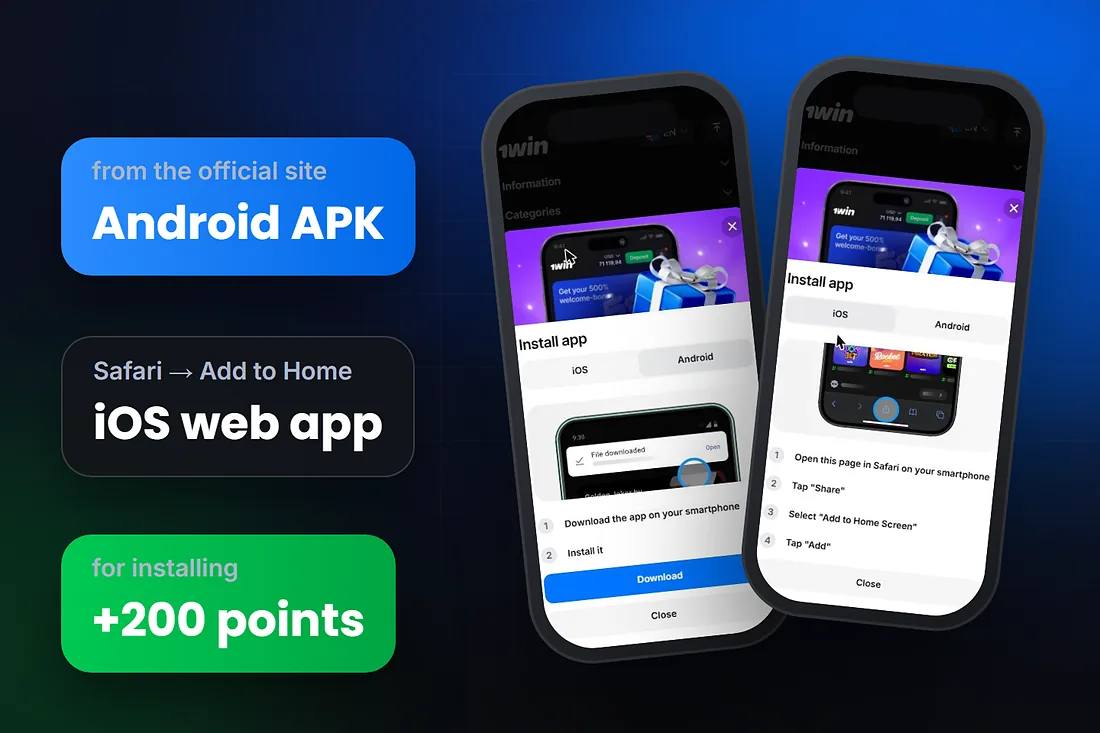
The 1win Aviator app download is the download of the official 1win app: there is no separate "Aviator only" application from 1win. Inside the app you open Casino, search "Aviator" or pick it from Popular or Quick games, and the SPRIBE game loads with the 1win header, your ₹ balance and a fullscreen button. Your account, deposits, bonuses and withdrawals are the same as on the website, so you can start a session on a laptop and continue on your mobile. The steps for Android and iPhone are below, each with a screenshot of the exact button to tap.
1win offers three versions, and Aviator runs in all of them:
| Device | What you install | Where it comes from | How it updates |
|---|---|---|---|
| Android phone or tablet | 1win APK file | Official 1win site → menu → app / "Download" | Download the current APK from the same place |
| iPhone or iPad | Web app on the Home Screen | 1win site opened in Safari → Share → Add to Home Screen | Always the current site version |
| Windows PC | "1win for Windows" | Official 1win site | Download the current version from the same place |
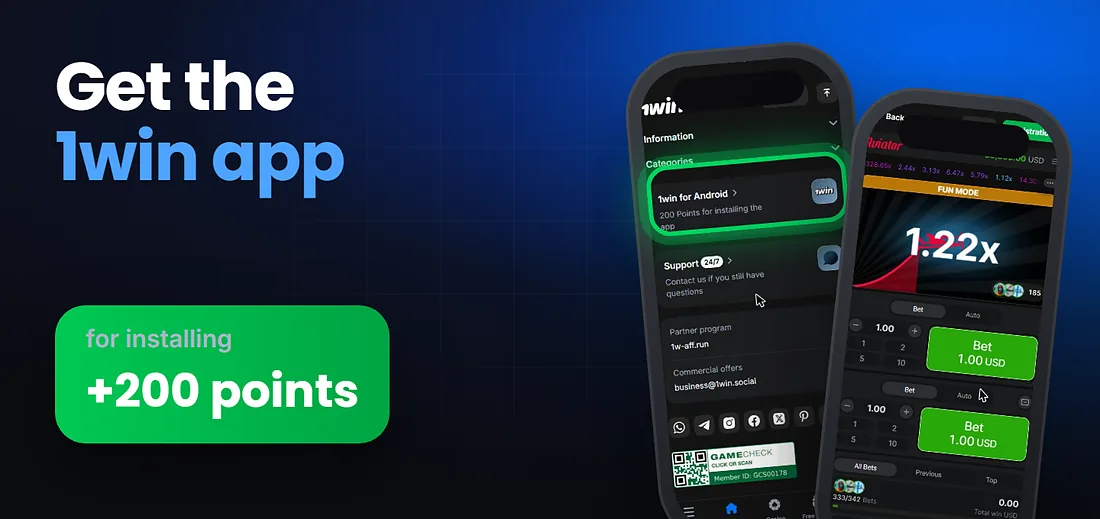
The 1win app is not listed on Google Play, and on iPhone it is installed as a web app rather than from the App Store. Anything called "1win Aviator" on a third-party store is not the official app. More on that below.
1win Aviator APK: install on Android in four steps
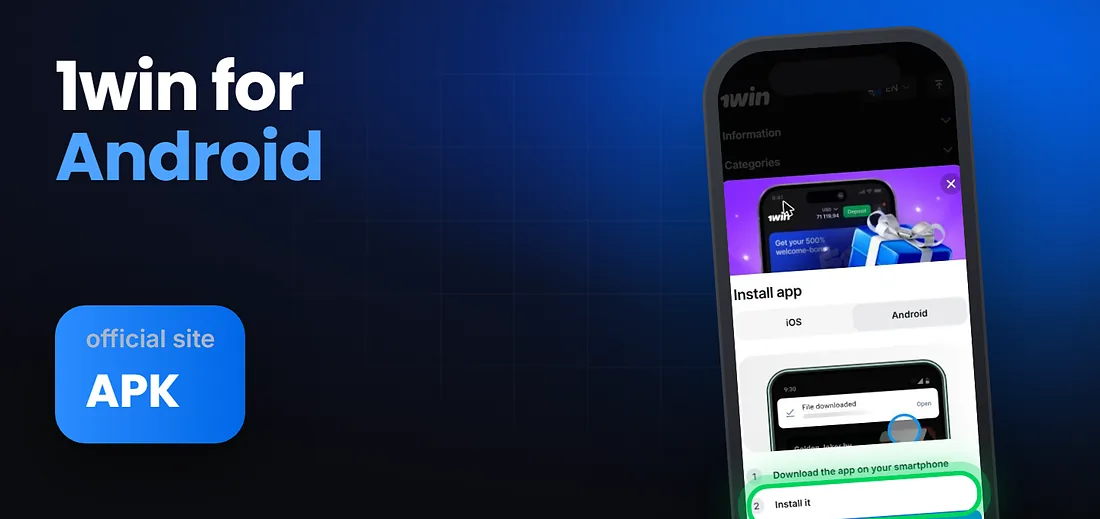
The Android version is an APK file that you download directly from 1win. Android blocks apps from outside Google Play by default, so you give your browser a one-time permission to install it. The whole process takes a couple of minutes on a normal mobile connection.
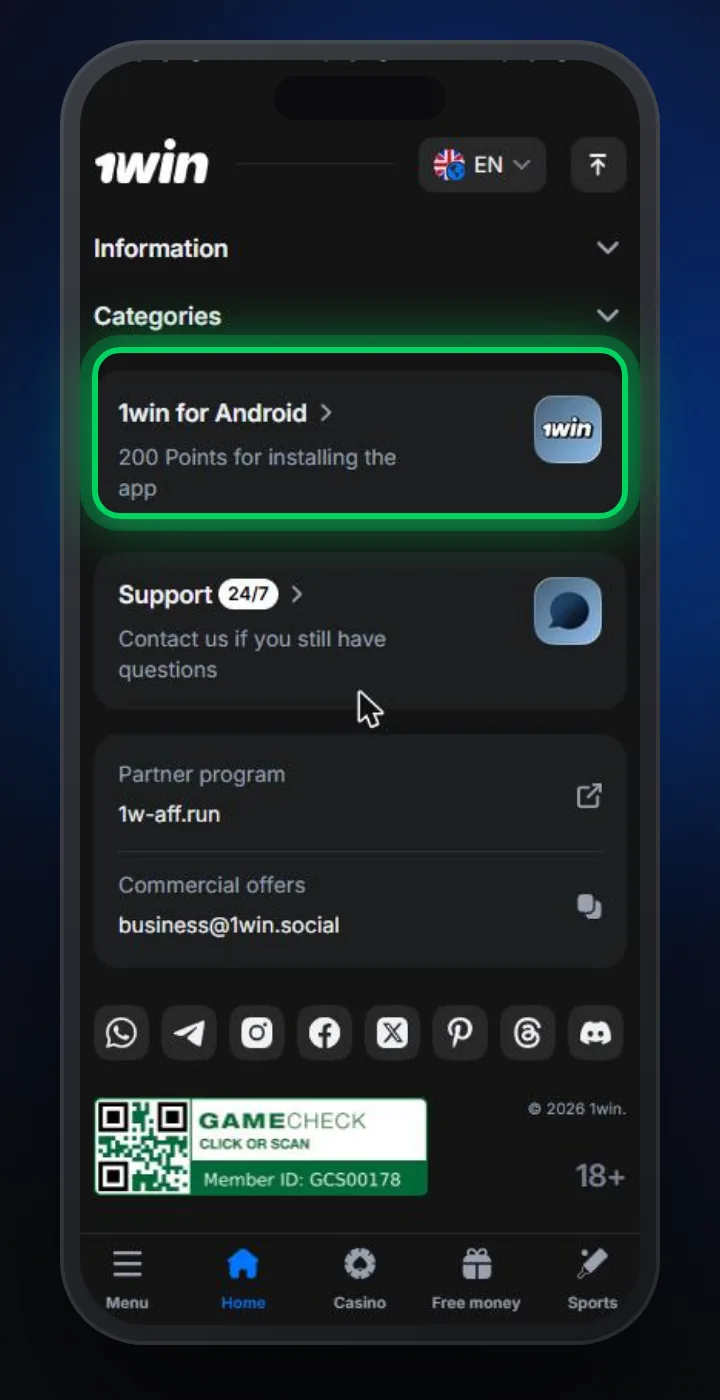
- Get the APK from the official 1win site. Open 1win in your mobile browser, open the menu and tap the app / "Download" item, then choose Android. The file is saved to your Downloads folder.
- Allow installation from unknown sources. Open the downloaded file. If Android shows a warning, tap Settings and switch on "Allow from this source" for your browser, then go back.
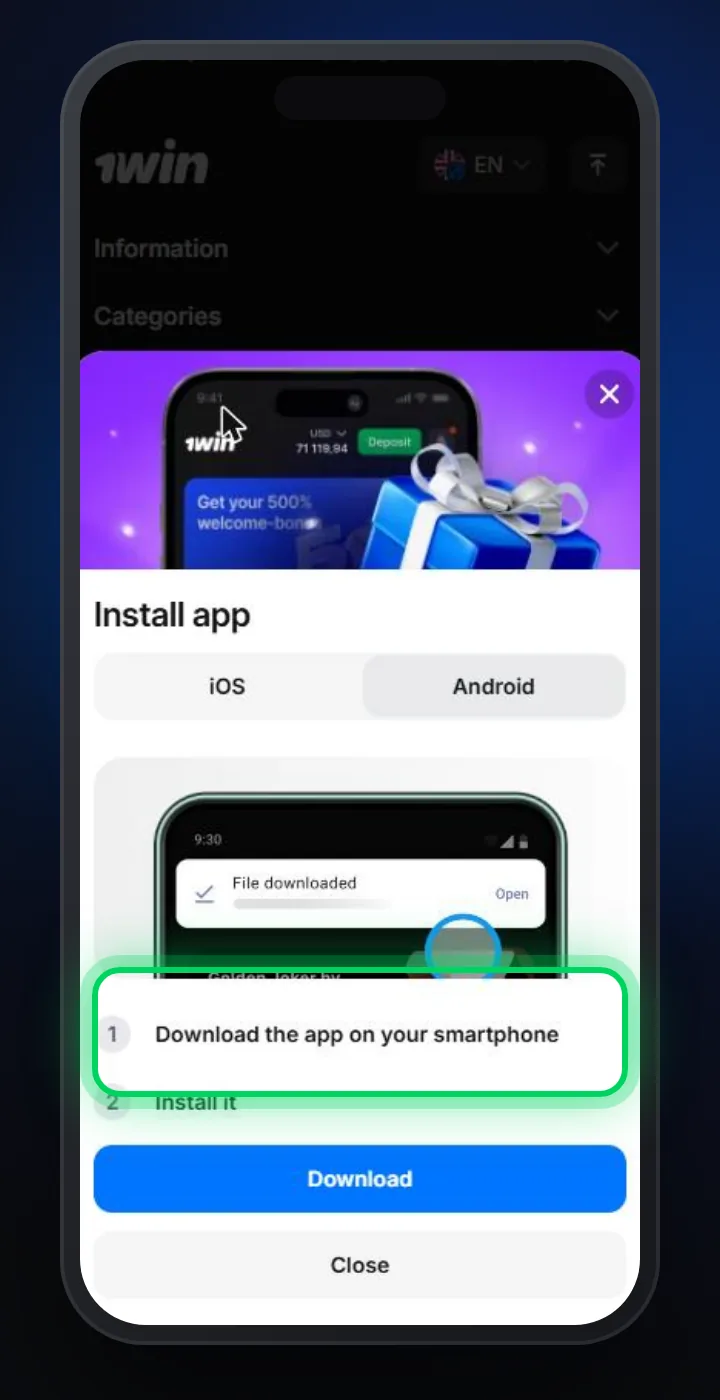
- Install the app. Tap "Install" and wait until Android shows that the app is installed. The 1win icon appears on your home screen.
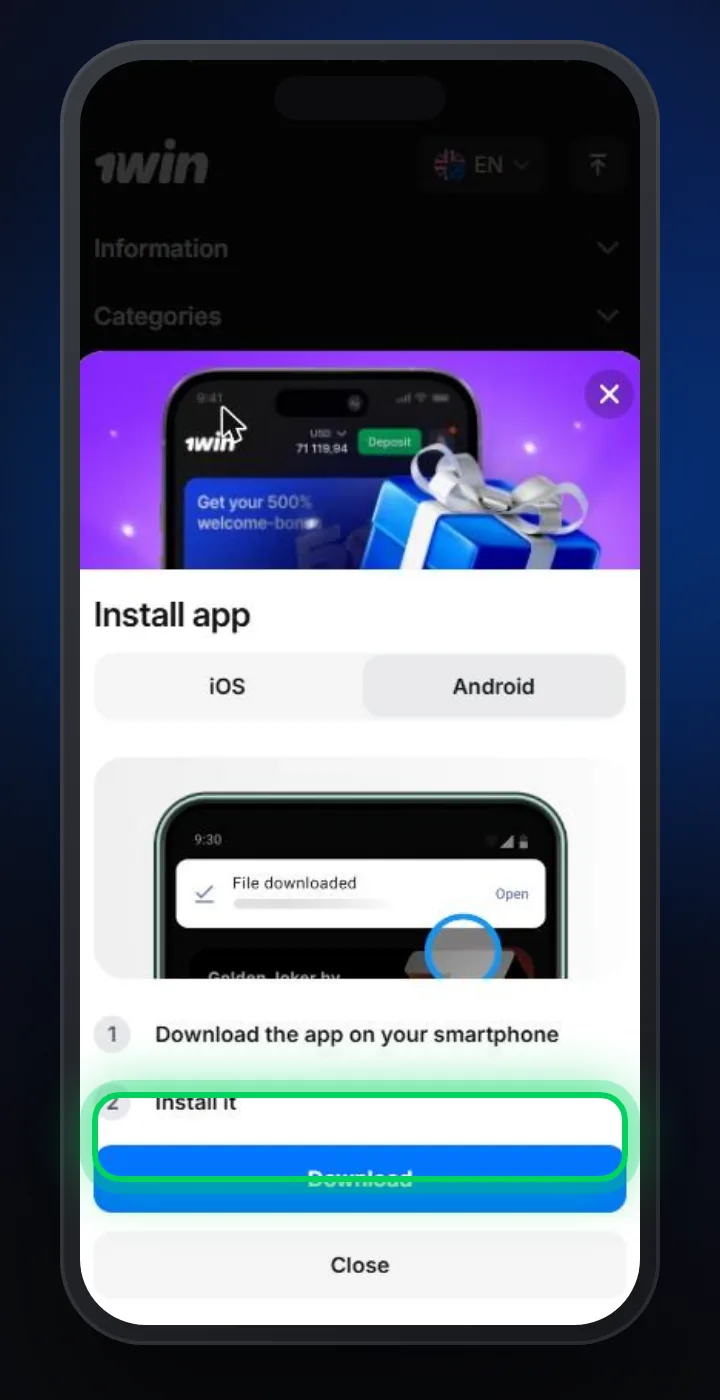
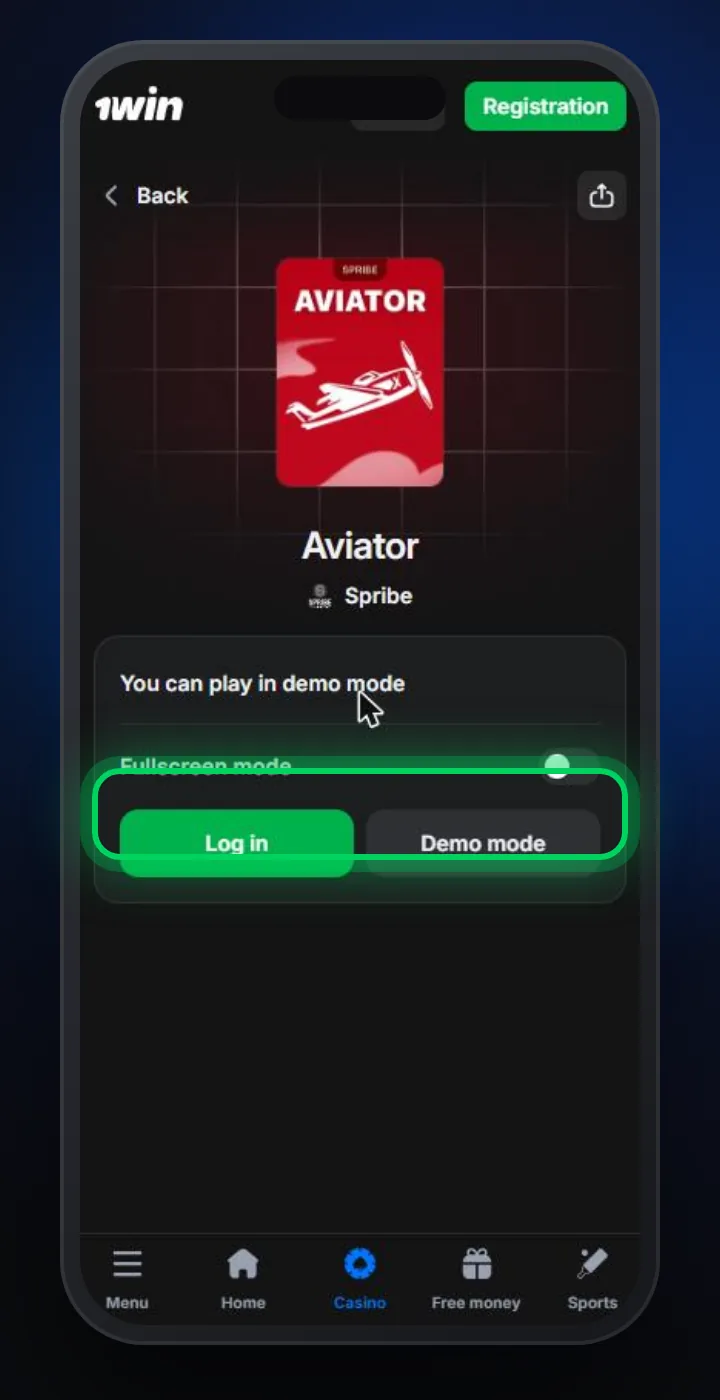
- Log in and open Aviator. Launch the app, log in with your 1win phone or email and password (or register), then open Casino, search "Aviator" and pick the red SPRIBE tile.


After installation you can switch the "unknown sources" permission off again for your browser; the installed 1win app keeps working. If your phone shows a security prompt about the file, check that it came from the official 1win site, which is the only source 1win supports. Sign-in methods and fixes for common errors are covered in logging in to 1win.
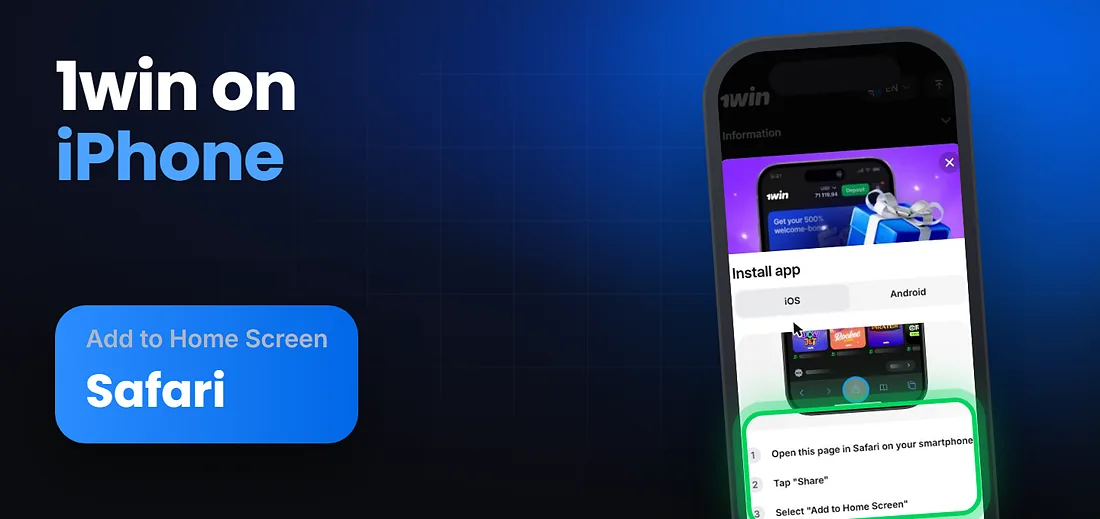
1win app on iPhone: add the web app from Safari
On iOS the 1win app is a web app. It opens full screen from its own Home Screen icon, keeps you logged in and runs Aviator the same way as on Android, without any file download or App Store listing.
- Open the 1win site in Safari. Use Safari specifically, because the Home Screen option is in its Share menu. Tap the Share icon at the bottom of the screen.
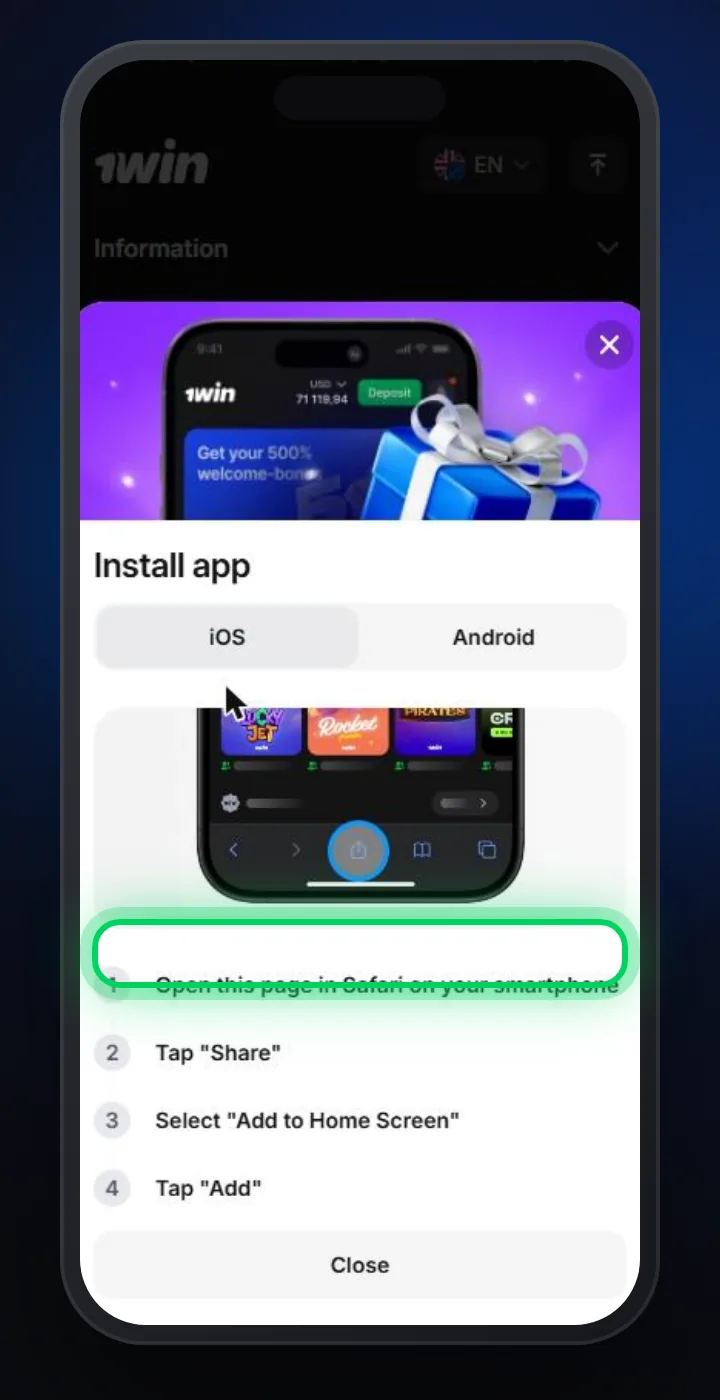
- Choose "Add to Home Screen". Scroll the Share sheet, tap "Add to Home Screen", keep the name 1win and tap "Add".
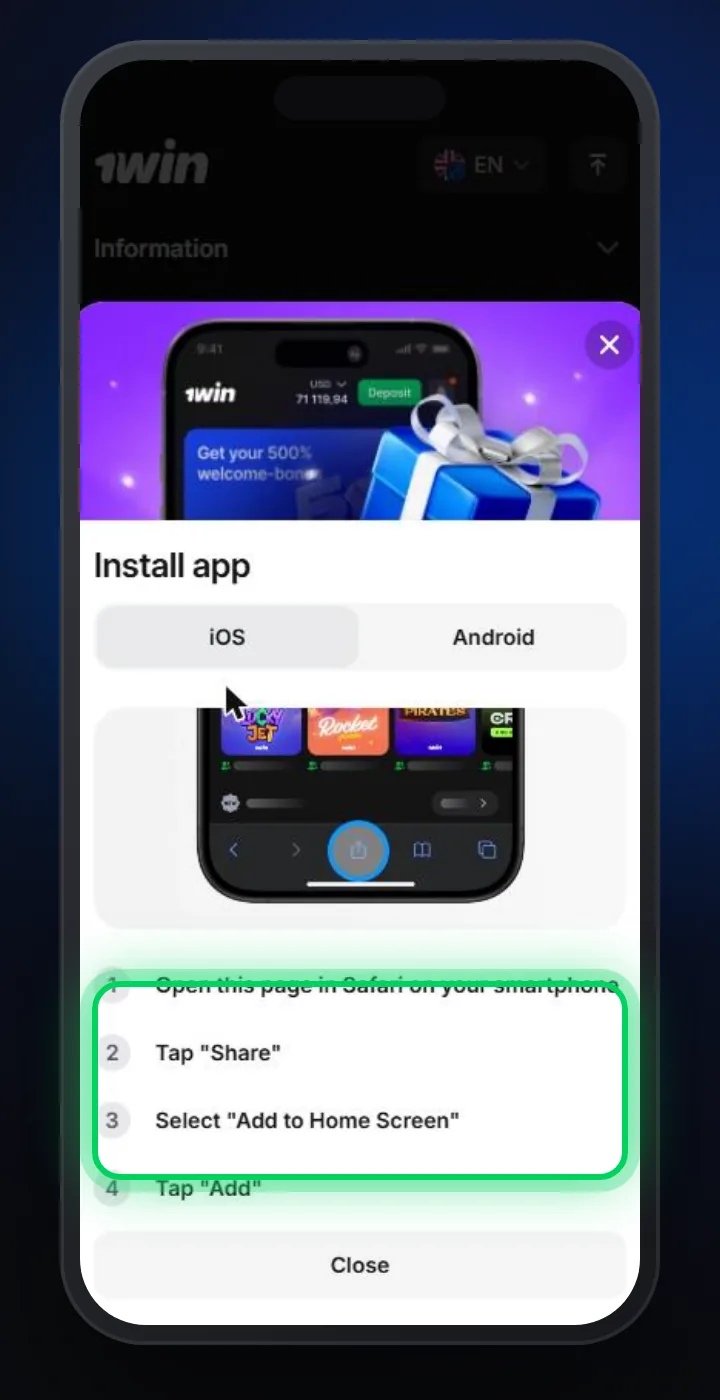
- Start 1win from the new icon. Tap the 1win icon on your Home Screen, log in and open Aviator from the casino lobby.
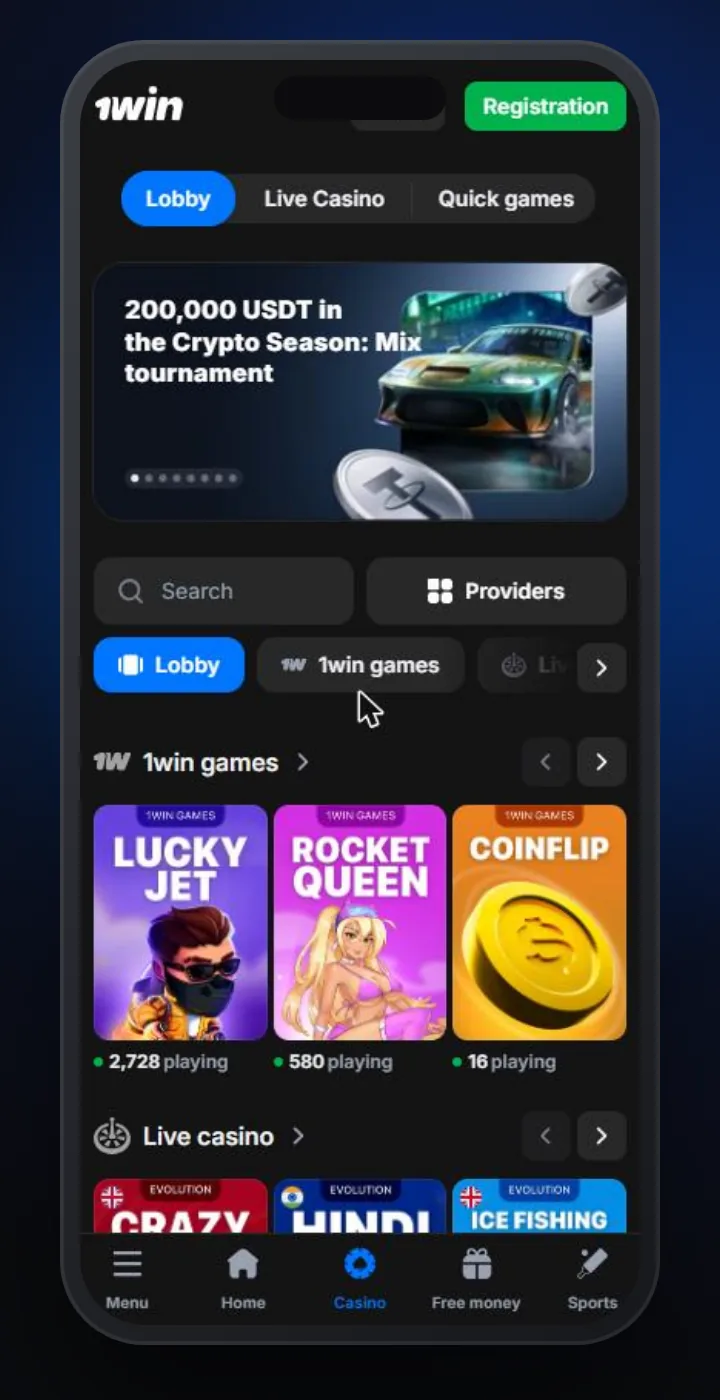


Because the iOS web app loads the live site, it never needs a manual update and takes almost no storage.
What your device needs
Aviator is a light game, so the app does not need a powerful phone. What matters more is a stable connection: if the connection drops during an active bet, the game cashes out automatically at the current multiplier and adds the win to your balance, but you lose control over when that happens.
- Android
- A phone or tablet that allows APK installation from your browser, with enough free storage for the app and room to update it.
- iPhone and iPad
- Safari with the "Add to Home Screen" option. No App Store account and no storage for an app file are needed.
- Windows
- A PC that runs "1win for Windows", downloaded from the official site.
- Connection
- Mobile data or Wi-Fi that stays stable through a round. Wi-Fi is safer during long sessions or when you use Auto Cash Out on two bets.
- Account
- One 1win account works on every device. Real-money Aviator needs a balance in ₹; "Demo mode" works without logging in.
Official 1win app vs fake "Aviator" apps
Because the 1win app is not on Google Play, APK catalogues fill the gap. On apkpure, for example, you will find listings called "1win Aviator" or "Aviator signal". None of these "Aviator", "signal" or "predictor" apps is made by 1win, and the only APK 1win supports is the one on its official site.
| Check | Official 1win app | Fake "1win Aviator" app |
|---|---|---|
| Source | Official 1win site only | APK catalogues, Telegram, YouTube descriptions |
| Name | 1win | "1win Aviator", "Aviator signal", "predictor", "hack" |
| Content | Full 1win casino and sports, Aviator in the lobby | A single "Aviator" screen, predictions or signals |
| Login | Your 1win account, password never shared | Asks for your 1win login or OTP "to connect the bot" |
| Promises | No promises about multipliers | "Next round 5.4x", "95% accuracy" |
| Risk | Normal casino risk | Stolen logins, malware, lost balance |
No app can know the next multiplier: each Aviator round is set by a SHA-512 hash of a server seed and client seeds from the first three players who bet in that round, so the result does not exist until those bets are placed. The full explanation, with a real round you can verify, is in is 1win Aviator real or fake.
Not sure about an app you already installed or a channel that sent you a link? Run it through the five-question checklist; if it points to a fake, delete the app and change your 1win password.
App or mobile site: which one for Aviator?
You can play Aviator in any mobile browser without installing anything. The app is simply more comfortable for frequent sessions. Compare the two:
| Feature | 1win app | Mobile site |
|---|---|---|
| Opening Aviator | Icon on the home screen, stays logged in | Open the browser, type the address, log in if the session expired |
| Screen space | Full screen, no address bar | Browser bars take part of the screen; fullscreen button helps |
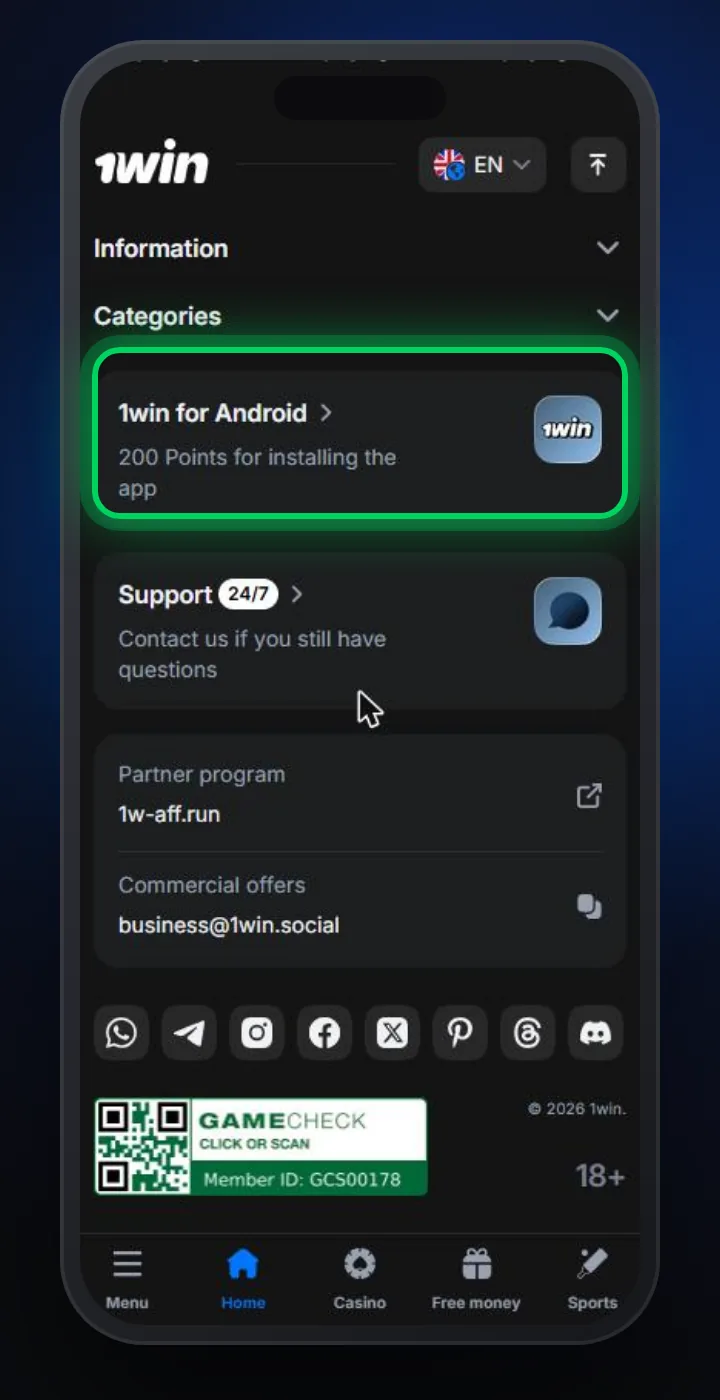
| Bonus | 200 1win Points for installing | No install bonus |
| Installation | APK on Android, Add to Home Screen on iPhone | Nothing to install |
| Storage | Uses some space on Android | None |
| Game, limits, RTP | Identical: same SPRIBE Aviator, RTP 97%, limits shown in Game Limits | |
200 points for the app and registering with 1WCASIN
1win credits 200 1win Points for installing the app. If you do not have an account yet, you can register straight in the app and add the promo code 1WCASIN in the same form. New accounts get the welcome package of up to 500%+ across four deposits (100%, 120%, 130% and 150%, each with free spins). The exact terms of each deposit bonus are shown on its card; for the first deposit the card shows a minimum deposit of ₹300, a maximum bonus of ₹45,000, x30 wagering and a maximum withdrawal from the bonus of x1.
- Download and open the app. Install the 1win app on Android or add it on iPhone as shown above, then launch it.
- Open the registration form. Tap "Registration" in the app; the form opens with Indian rupee (INR) as the currency and +91 for the phone number.
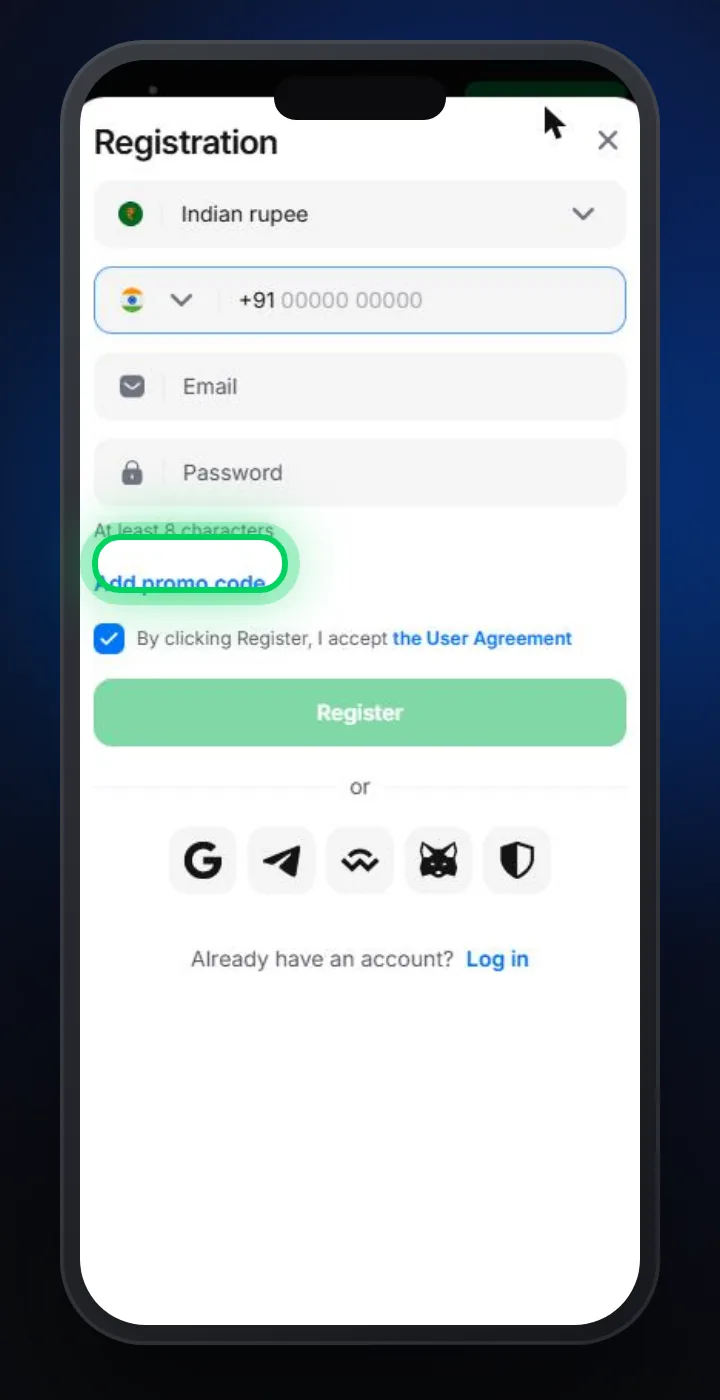
- Enter the promo code. Fill in phone, email and a password of at least 8 characters, tap "Add promo code" under the password and type 1WCASIN.
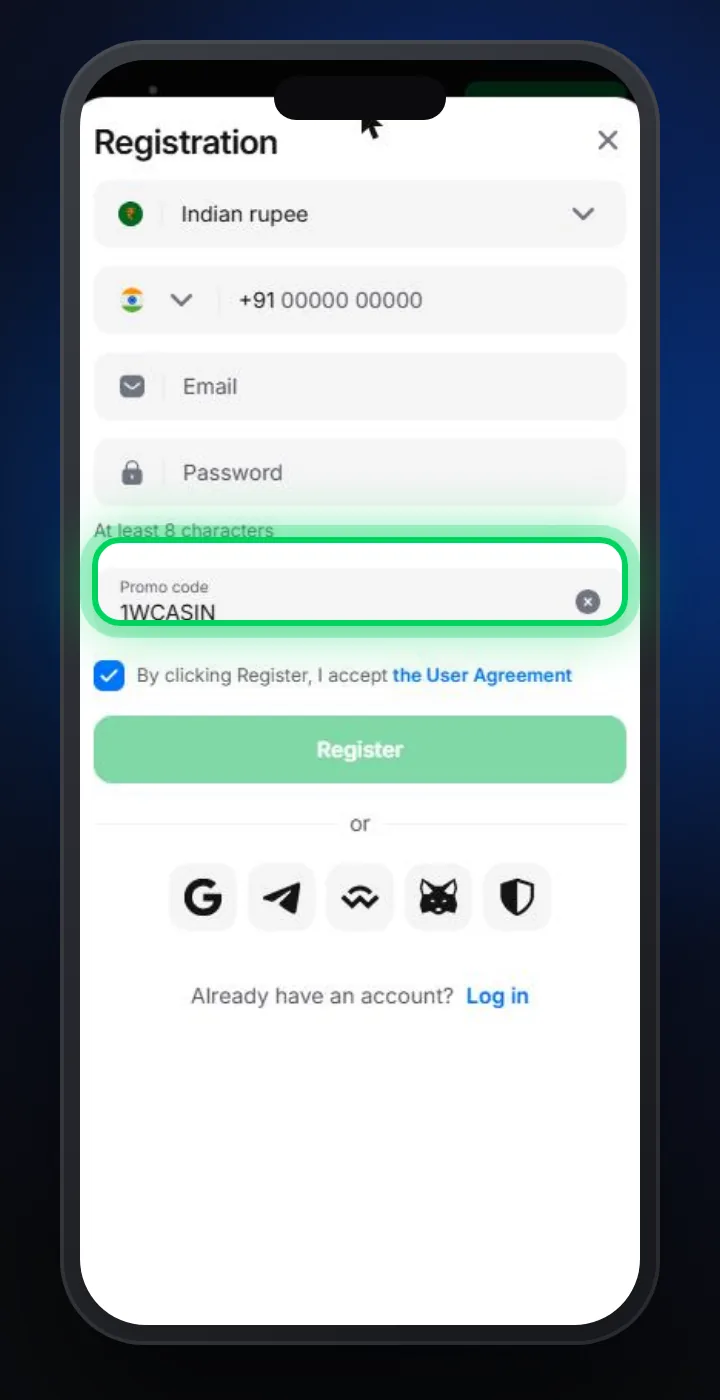
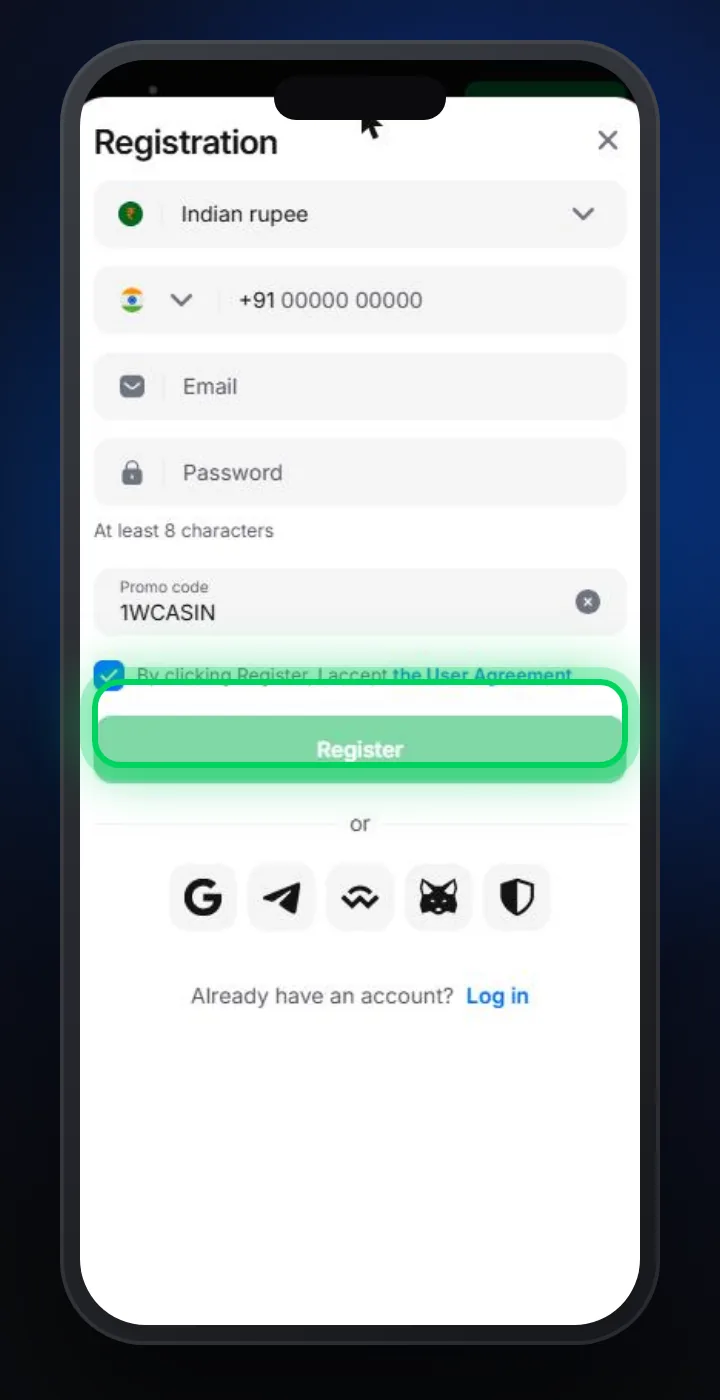
- Confirm the registration. Tick the User Agreement box and tap "Register". Your account opens and you can make the first deposit.


Casino bonus money is wagered only in games from the "Bonus wagering" category, and you play from the main balance first. On 25 November 2026 Aviator was not in that category, so the bonus is wagered in other games from the list; check the current list in the lobby before you count on the bonus for Aviator rounds. The details are in how the 1win welcome bonus works, and the code with a copy button is under claim the 1win promo code.
Playing Aviator in the 1win app
Once Aviator is open, the screen is the same as on desktop, only rearranged for a vertical display. Two bet panels sit under the flight area, each with its own amount, "Bet" / "Cash Out" button and Auto tab. Above the plane runs the history strip of the latest multipliers: blue for under 2x, purple for 2x–10x and pink for 10x and above. The All Bets, Previous and Top lists show who is betting in the current round, how the last round ended and the biggest wins.
- Quick amounts: preset buttons and +/− let you set the stake with one thumb; on a real account check minimum and maximum bets in Menu → Game Limits.
- Auto Cash Out: set a target multiplier in the Auto tab so a slow tap or a lag spike does not cost you the cash out.
- Landscape and fullscreen: turn the phone or use the fullscreen button for a larger plane and bigger buttons.
- Sound and animation: switch them off in the ☰ menu to save battery and data on long sessions.
- Demo first: the "Demo mode" toggle on the game page runs Aviator with a virtual balance, without logging in.

New to the game? The rules of Aviator on 1win walk through a full round, and the free Aviator demo lets you practise in the app without spending rupees.
Deposits and withdrawals inside the app
The cashier in the 1win app is the same as on the website, with the same methods and limits in rupees. That means you can top up, play a few Aviator rounds and request a payout without switching to a browser.
Deposits. Open the cashier from your balance in the header and choose UPI, PhonePe, Paytm, bank transfer (IMPS/NEFT with the UTR number) or crypto such as USDT TRC-20, BTC or ETH. PhonePe, for example, accepts ₹300–₹50,000 per payment and bank transfer ₹500–₹100,000. Crypto deposits in USDT TRC-20 start from 5 USDT.
Withdrawals. Aviator winnings go to the main balance the moment you press "Cash Out", so a payout request from the app works like any other withdrawal: IMPS from ₹1,200 to ₹50,000 per request, or crypto. Withdraw to the method you deposited with where possible. Payouts usually arrive within minutes to a few hours; bank transfers or a first payout with KYC can take 1–3 days. 1win charges no commission, though your bank or the network may.
Limits can change, so the cashier always shows the current figures for each method. Step-by-step screenshots of both flows are in deposits and withdrawals for Aviator. If the cashier asks you to sign in again, see 1win login help.
Latest version, updates and old versions
The APK on the official 1win site is always the current release, so getting the latest version simply means downloading the file again from there. When a new version is out, install it over the old one; your account and balance stay on the 1win server, not on the phone, so nothing is lost. The iPhone web app updates itself because it loads the live site.
Avoid "old version" downloads from APK catalogues. Players look for them hoping an older build behaves differently, but Aviator rounds are calculated on SPRIBE's servers, not in the app, so an old build plays exactly the same game. What an unofficial old file can add is a modified installer with hidden permissions. If the current app does not start, delete it, download a fresh copy from the official site and log in again. Still stuck? 1win support is available 24/7 in live chat, and many app questions are already answered in the Aviator FAQ.
1win Aviator app: frequent questions
How do I download the 1win Aviator app?
Open the official 1win site on your phone, go to the menu and tap the app / "Download" item. On Android install the APK after allowing installs from your browser; on iPhone add the site to your Home Screen from Safari. Aviator is inside the app's casino lobby.
Is there a separate Aviator app from 1win?
No. Aviator runs inside the main 1win app together with the rest of the casino. Listings called "1win Aviator" or "Aviator signal" on APK stores are not official.
Why is the 1win app not on Google Play?
1win distributes the Android app as an APK from its official site. That is why Android asks you to allow installation from your browser once. Download only from the official site to avoid fake copies.
Is the 1win app real or fake?
The app downloaded from the official 1win site is the real 1win app, with the same account, balance and games as the website. Copies on third-party stores can be fake or modified. If in doubt, delete them and install the official version.
How do I get the latest version of the 1win APK?
Download the APK again from the official 1win site and install it over the old one. Your account and balance are stored on 1win's side, so they stay the same. The iPhone web app is always up to date.
Can I play Aviator in the app with the same account?
Yes. Log in with the phone or email and password you use on the website, or with Google or Telegram if you signed up that way. Your ₹ balance, bonuses and bet history are shared across devices.
What bonus do I get for installing the app?
1win gives 200 1win Points for installing the app. New players can also register in the app with the promo code 1WCASIN to get the welcome package across four deposits.
Can I deposit with UPI and withdraw in the app?
Yes. The app cashier offers UPI, PhonePe, Paytm, bank transfer and crypto for deposits, and IMPS (₹1,200–₹50,000 per request) or crypto for withdrawals. Aviator winnings are on your main balance right after Cash Out.
Do Aviator predictor or hack apps work with the 1win app?
No. The multiplier is produced by a SHA-512 hash of seeds that include bets not yet placed when the round opens, so no app can know it. Predictor and hack APKs are scams and often steal logins.