1win Aviator login: back to your rounds in seconds
One 1win login opens Aviator, your ₹ balance and the cashier on every device. Here is how to sign in, recover a password and fix the usual login errors.
Updated · 18+
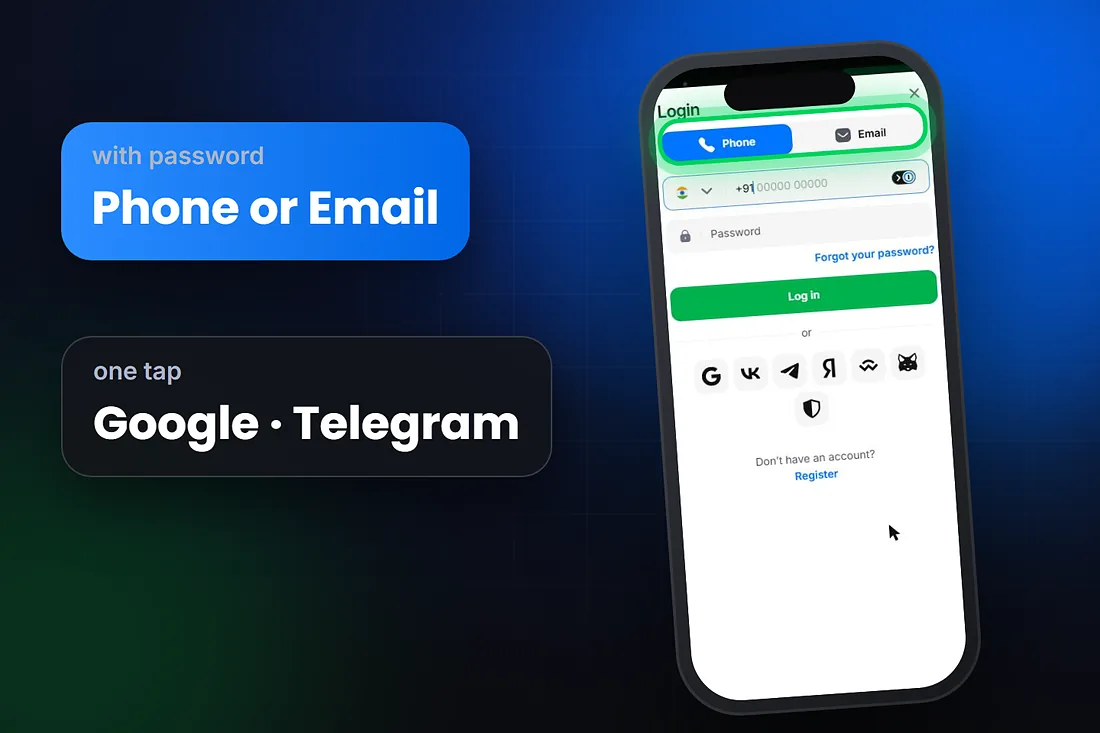
Contents 7 sections
1win Aviator login in four steps
The 1win Aviator login is your normal 1win account login: once you are in, open Casino, search "Aviator" and the game loads with your rupee balance. The steps are the same on the website, the mobile site and the app.
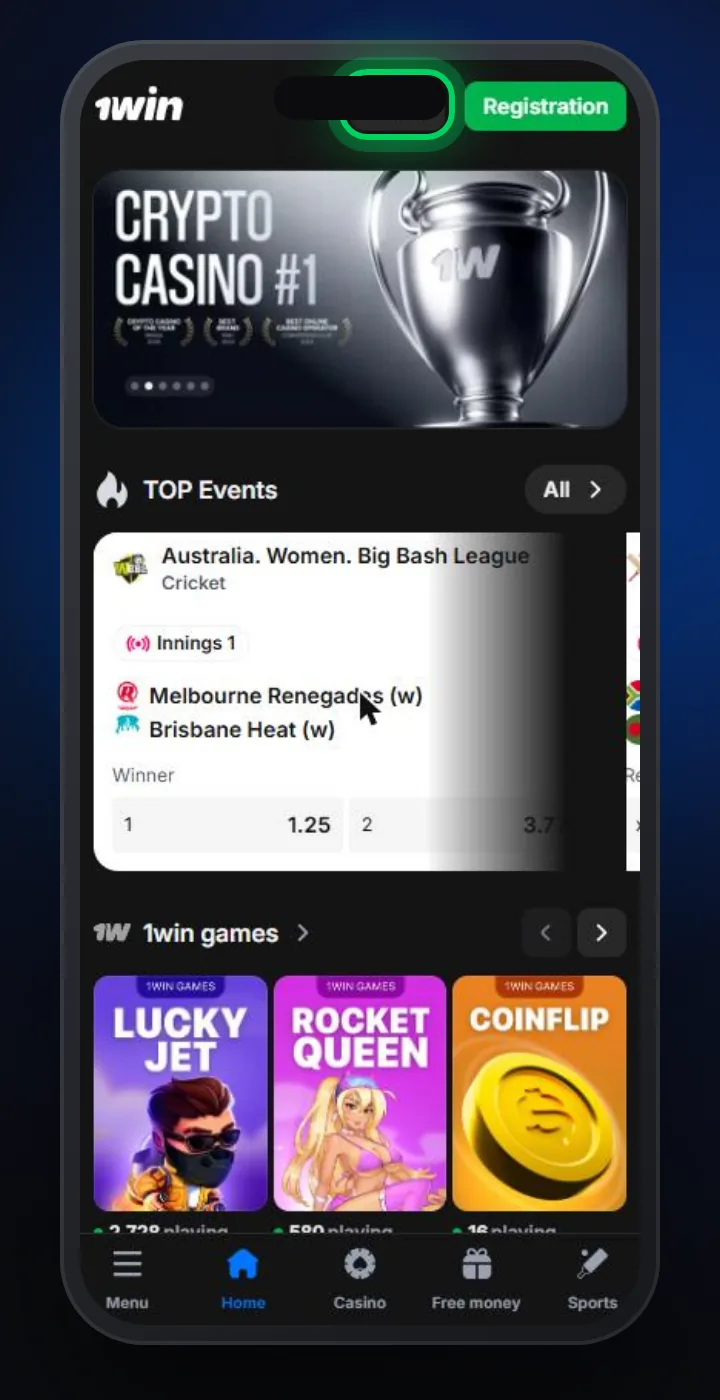
- Open the login form. Go to the official 1win site or open the 1win app and tap the login button in the header.
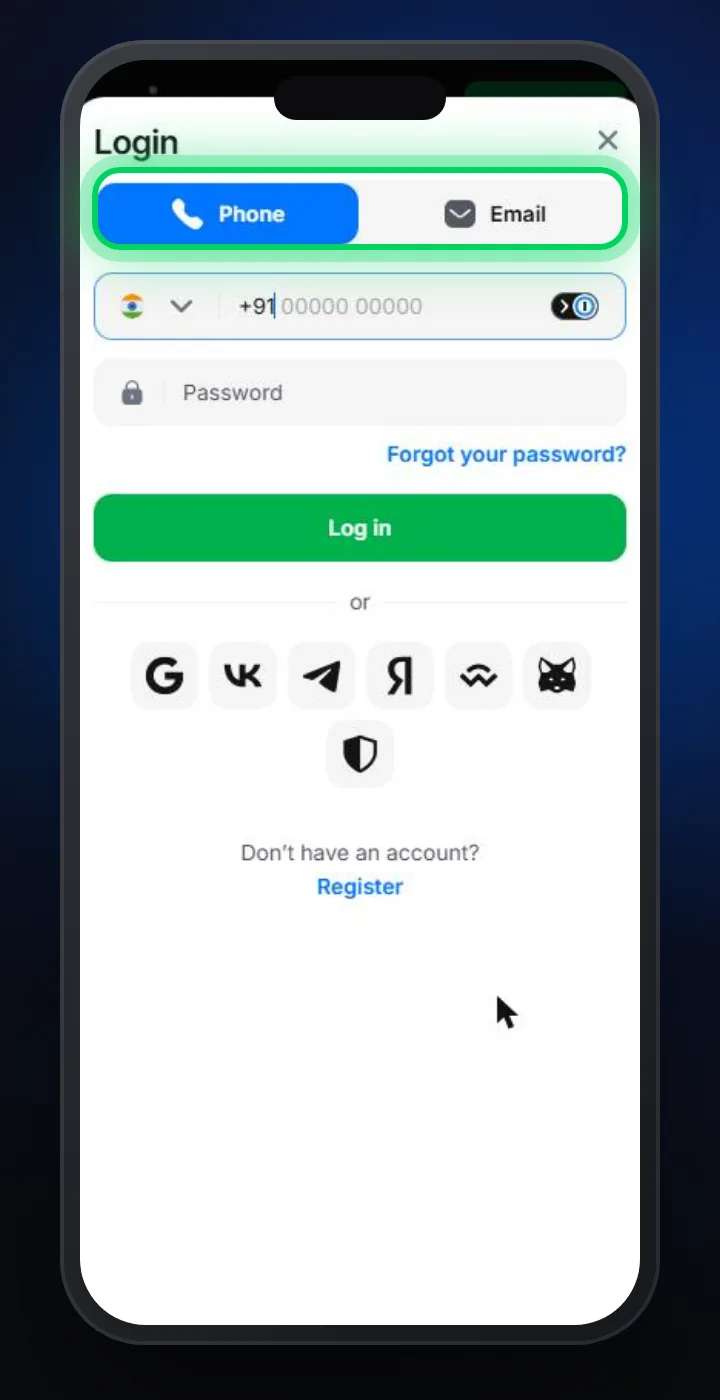
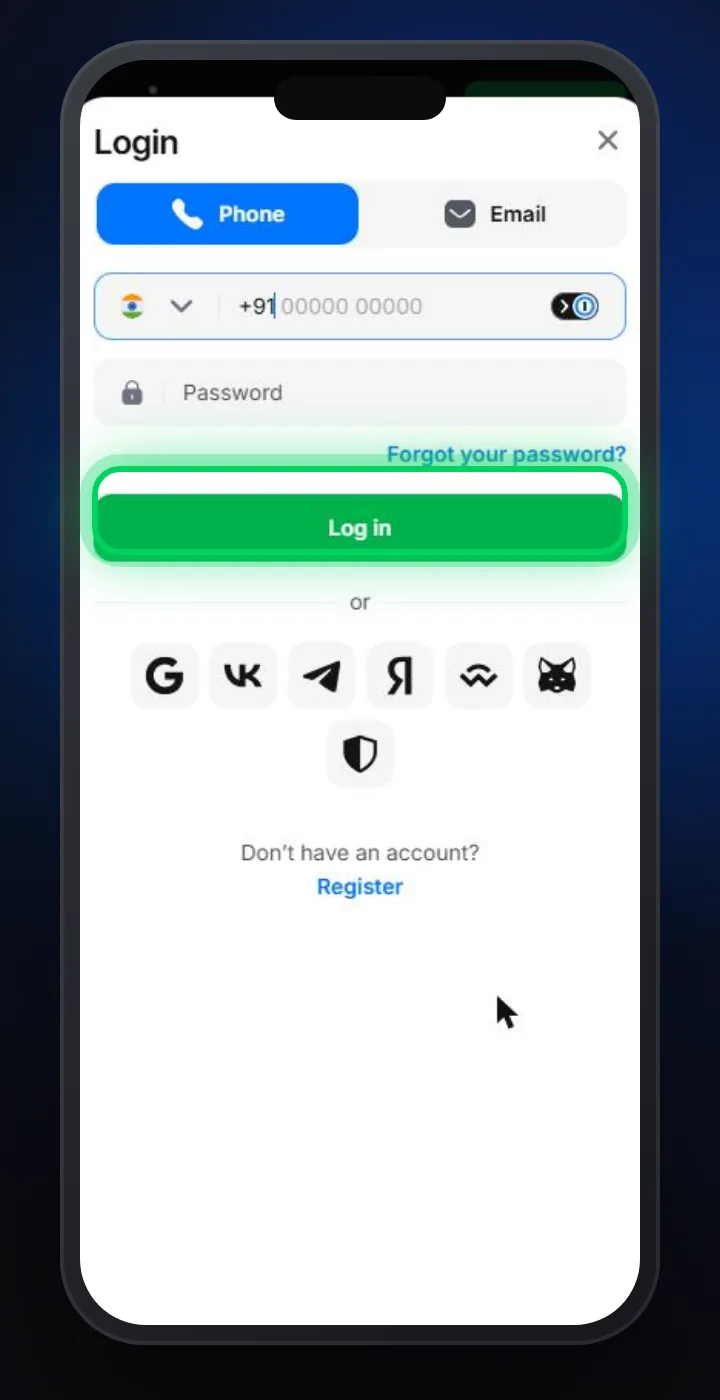
- Choose how you log in. Pick the Phone or Email tab, or one of the one-click buttons such as Google, Telegram, WalletConnect or MetaMask. Use the same method you registered with.
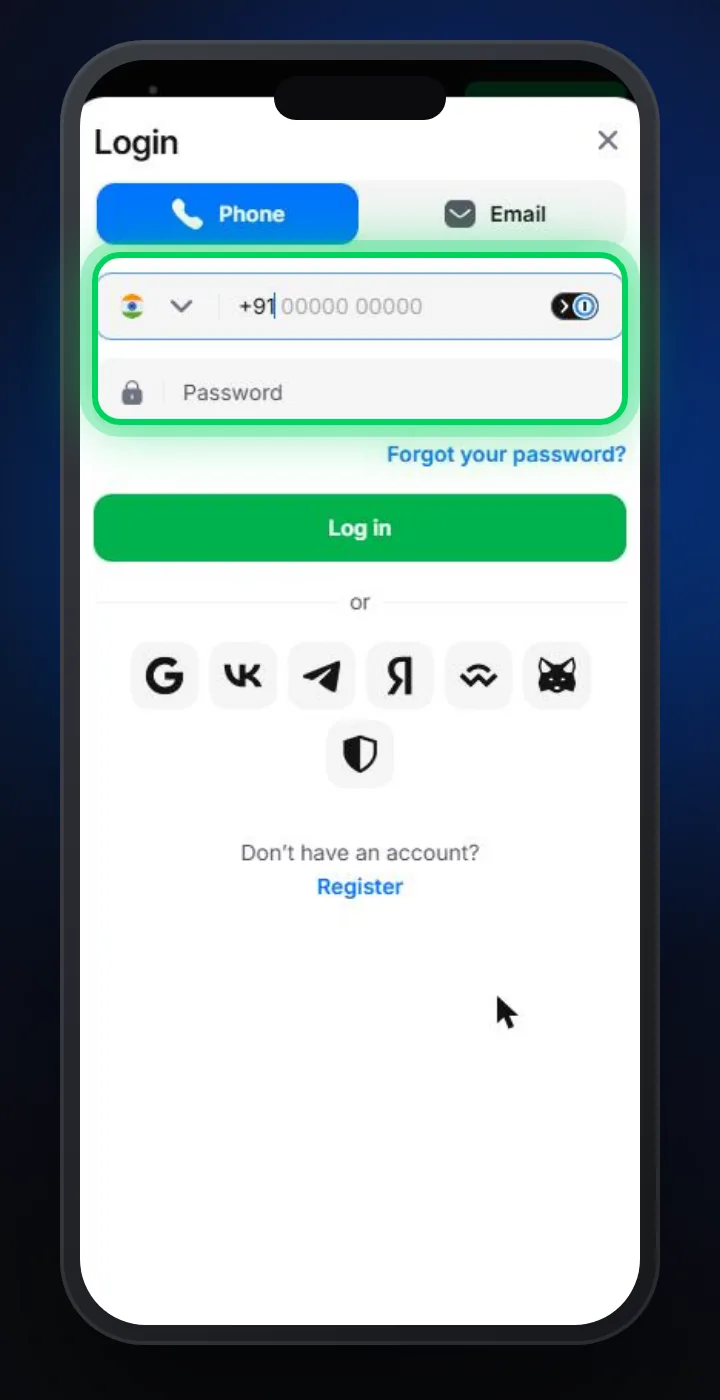
- Enter your details. Type your +91 phone number or email and your password. Check that the keyboard language and Caps Lock are correct.
- Confirm and open Aviator. Tap the login button to enter your account, then open Casino and search "Aviator" (the original is the red SPRIBE tile), or find it in Popular or Quick games.


Which login method to use
1win lets you sign in several ways, but the method has to match how the account was created. If you registered with the phone and email form, use the Phone or Email tab; if you signed up through Google, the Google button is your login.
- Phone tab: your +91 number and password. The most common choice for players who registered with the full form.
- Email tab: the email from registration and the same password. Useful if you changed your SIM.
- Google: one tap with the Google account linked at sign-up; no 1win password needed.
- Telegram: confirm the login request inside your Telegram app.
- Crypto wallets: WalletConnect or MetaMask, signing with the wallet you used at sign-up.
No account yet? Register on 1win in rupees and add the promo code 1WCASIN in the form.
Logging in through the 1win app
In the Android app and the iPhone web app the login form is identical to the site. The difference is that the app keeps you signed in, so next time a tap on the 1win icon takes you straight to the lobby and Aviator is two taps away. If you share the phone with someone, log out after each session from the profile menu. First time in the game after logging in? The Aviator rules on 1win explain bets, "Cash Out" and Auto Cash Out, and your winnings can later be taken out as shown in withdrawing Aviator winnings. To install the app or add it to your iPhone Home Screen, follow the steps in downloading the 1win app; installing the app also gives 200 1win Points.
Download the app only from the official 1win site. Fake "1win Aviator" apps on APK catalogues show a copy of the login form to capture your phone and password.
Login problems and how to fix them
Most login errors have a simple cause. Find yours below before you write to support.
- "Wrong login or password"
- Check the tab: a phone number typed in the Email tab will fail. Retype the password with Caps Lock off; if it still fails, reset it with "Forgot your password?".
- Registered with Google or Telegram, but trying a password
- Accounts created through one-click sign-up log in with the same button. Use Google or Telegram instead of the Phone or Email tab.
- The site or app does not load
- Switch between Wi-Fi and mobile data, clear the browser cache or reinstall the official app. Make sure you opened the official 1win address and not a lookalike from an ad or message.
- Logged in, but Aviator does not start
- Refresh the game page, turn off data-saver mode and close other tabs. If a bet was active when the connection dropped, the game cashed it out automatically at the current multiplier and credited the win.
- No reset code arrives
- Check the number or email is the one on the account, look in the spam folder and wait a minute before asking for a new code.
- Account blocked or suspended
- Contact support in live chat. Note that 1win rules forbid using proxies or similar tools to change your location, and accounts that do so can be suspended.
Forgot your password?
A forgotten password takes a minute or two to reset if you still have access to the phone or email on the account.
- On the login form, tap "Forgot your password?".
- Enter the phone number or email linked to your 1win account.
- Type in the code you receive by SMS or email.
- Set a new password of at least 8 characters and log in with it.
If you no longer have that phone number or email, write to 1win support through 24/7 live chat or email. Have your account details ready; support may ask you to confirm your identity with documents.
Keep your 1win account safe
Your login protects your rupee balance and your Aviator winnings, so treat it like a banking password.
| Do | Don't |
|---|---|
| Use a unique password of 8+ characters with letters and numbers | Reuse the password from your email or social media |
| Log in only on the official site or the app downloaded from it | Open login links from Telegram channels, YouTube comments or ads |
| Log out on shared phones and computers | Save the password in a browser others can use |
| Contact support only through the chat on the 1win site or app | Share your password or reset code with anyone, including "support" in a DM |
| Ignore any offer of predictions or signals | Enter your 1win login in a "predictor" or "signal" app |
Aviator predictors and signal bots cannot know the next multiplier, because each round is set by a SHA-512 hash of seeds that include bets not yet placed. Their real goal is often your login. The proof, with a round you can check yourself, is in why Aviator predictors are fake. More account questions are answered in the Aviator FAQ.
Login questions
How do I log in to 1win Aviator?
Open the official 1win site or app, tap the login button, choose Phone, Email or a one-click method and enter your details. Then open Casino and search "Aviator". The same account works on every device.
Is the Aviator login different from the 1win login?
No. Aviator is a game inside the 1win casino, so your normal 1win login opens it. There is no separate Aviator username or password.
Can I log in to 1win Aviator with email?
Yes. Choose the Email tab on the login form and enter the email from registration and your password. If you signed up with Google, use the Google button instead.
What do I do if I forgot my 1win password?
Tap "Forgot your password?" on the login form, enter your phone or email and confirm with the code you receive. Then set a new password of at least 8 characters.
Why can't I log in to my 1win account?
The most common reasons are the wrong tab (phone vs email), a mistyped password or trying a password on an account created with Google or Telegram. If none of these helps, contact 1win support in live chat.
Where is my balance after I log in?
Your ₹ balance is shown in the header of the site and app as soon as you log in, and the same balance is used inside Aviator. Winnings from "Cash Out" are added to it immediately and can be withdrawn from the cashier.
Can I stay logged in on my phone?
Yes, the 1win app keeps you signed in until you log out. On shared devices log out after each session to protect your balance.