Register on 1win and start playing Aviator in rupees
A 1win account in Indian rupees takes about a minute to open. Add the promo code during sign-up and Aviator is ready as soon as your first deposit lands.
Updated · 18+
Contents 8 sections
1win Aviator registration: what you need
1win Aviator registration is the same as opening any 1win account: one form, one account for the whole casino, and Aviator is waiting in the lobby once you log in. You can try the game first in "Demo mode" without an account, but real ₹ bets, the welcome bonus and withdrawals need a registered profile. Have these ready before you sign up:
- You are 18 or older. 1win accounts are for adults only.
- An Indian mobile number (+91) and an email address you can open.
- A password of at least 8 characters that you do not use anywhere else.
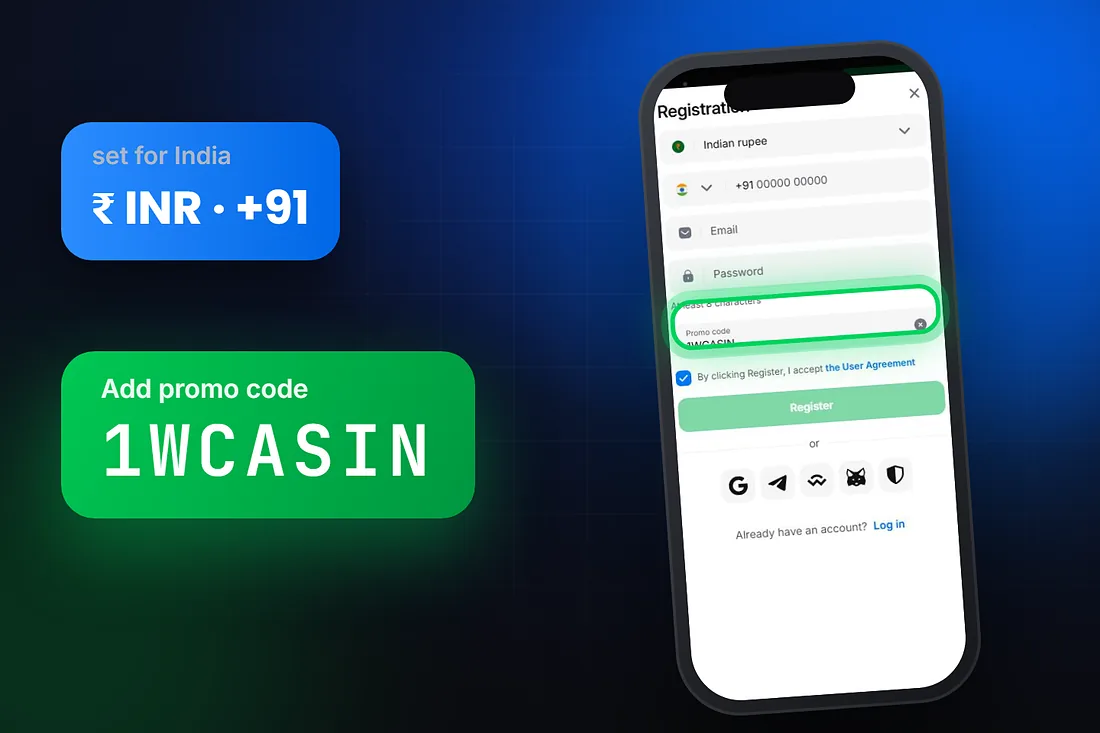
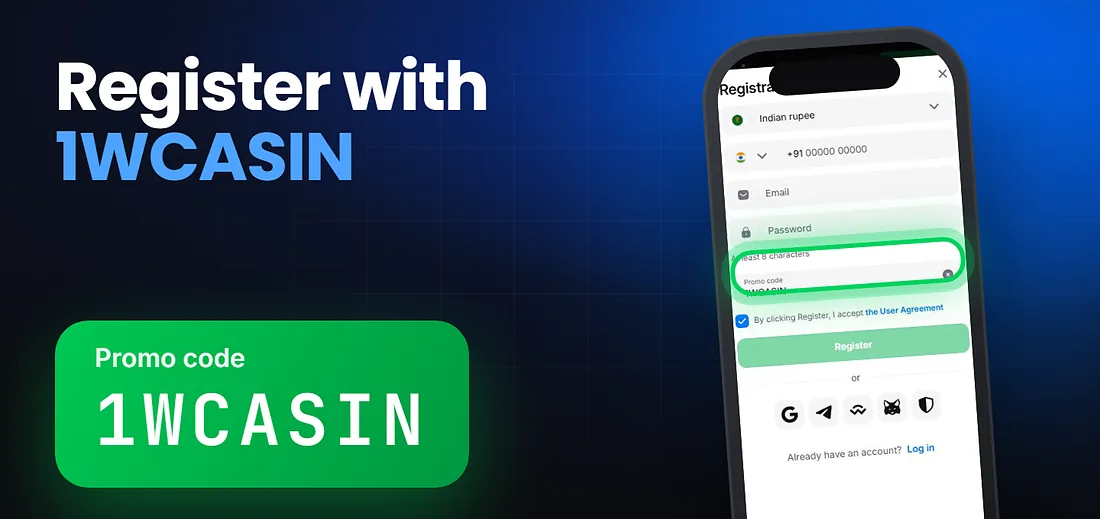
- The promo code 1WCASIN, entered during registration in the "Add promo code" field.
- For later: an ID document and a selfie or proof of address, in case 1win asks for KYC before a withdrawal.
How to sign up on 1win with the promo code
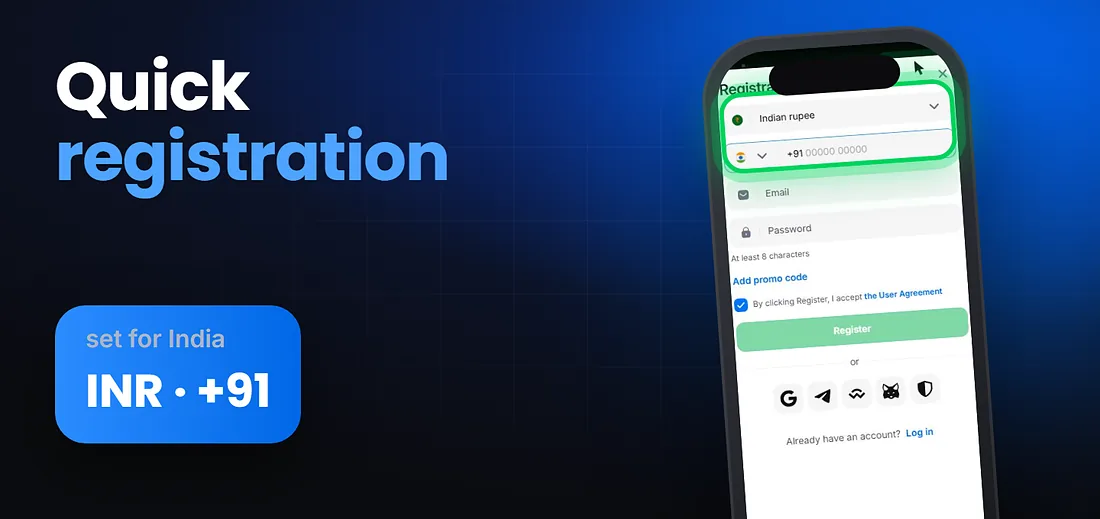
The steps below use the full form with phone and email, which is the version where the promo field is easiest to find. The form works the same on the website, the mobile site and the 1win app.
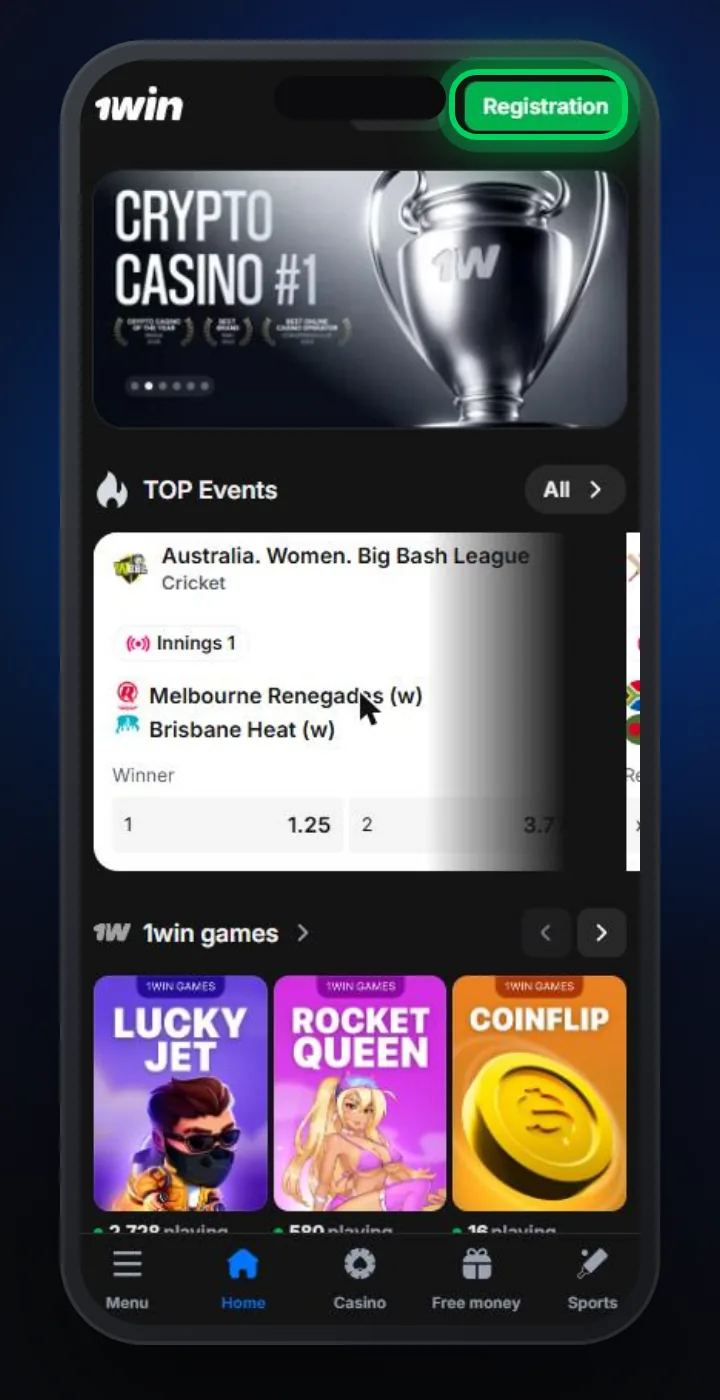
- Tap "Registration" on the 1win home page. The button is in the site header, so it is visible on any page you start from.
- Check the sign-up form. Currency should already show Indian rupee (INR) and the phone code +91. Keep INR so your balance, deposits and Aviator bets are all in rupees. Enter your phone number, email and a password of at least 8 characters.
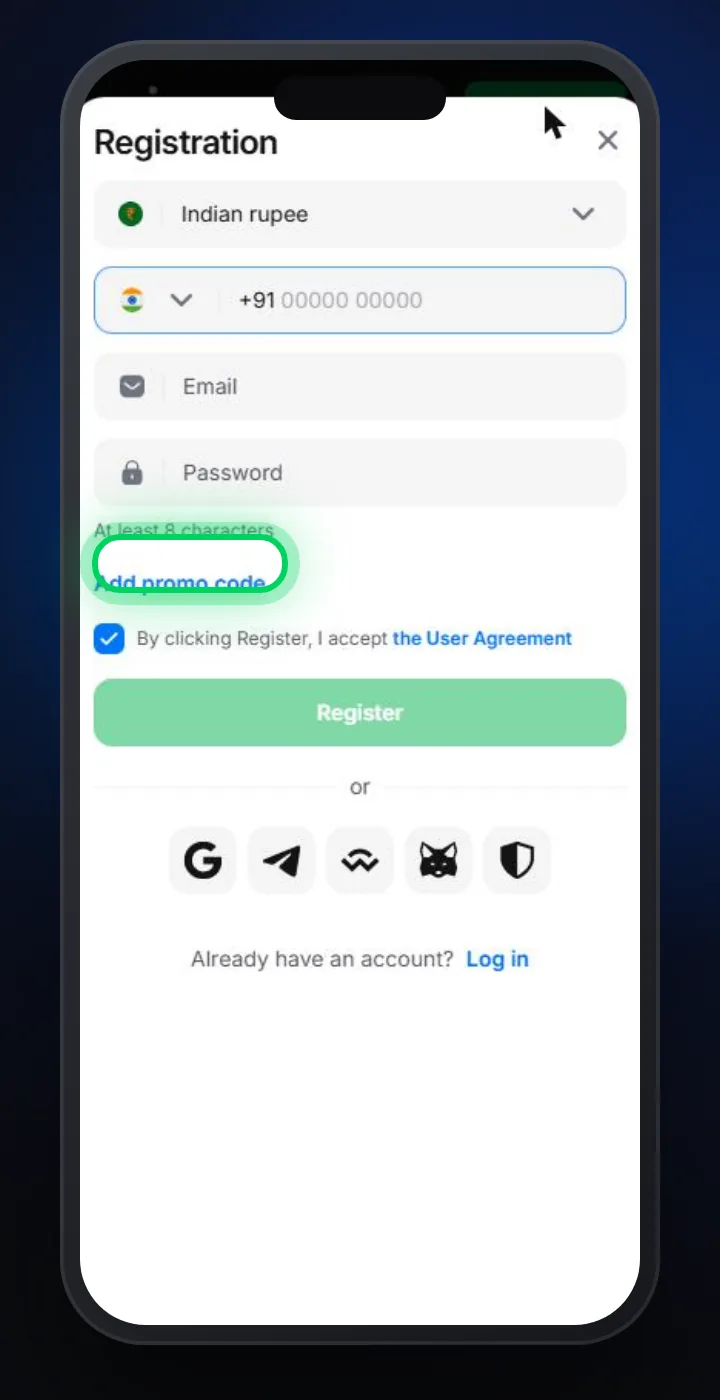
- Add the promo code. Tap "Add promo code" under the password field. A new field opens: type 1WCASIN exactly, in capital letters.
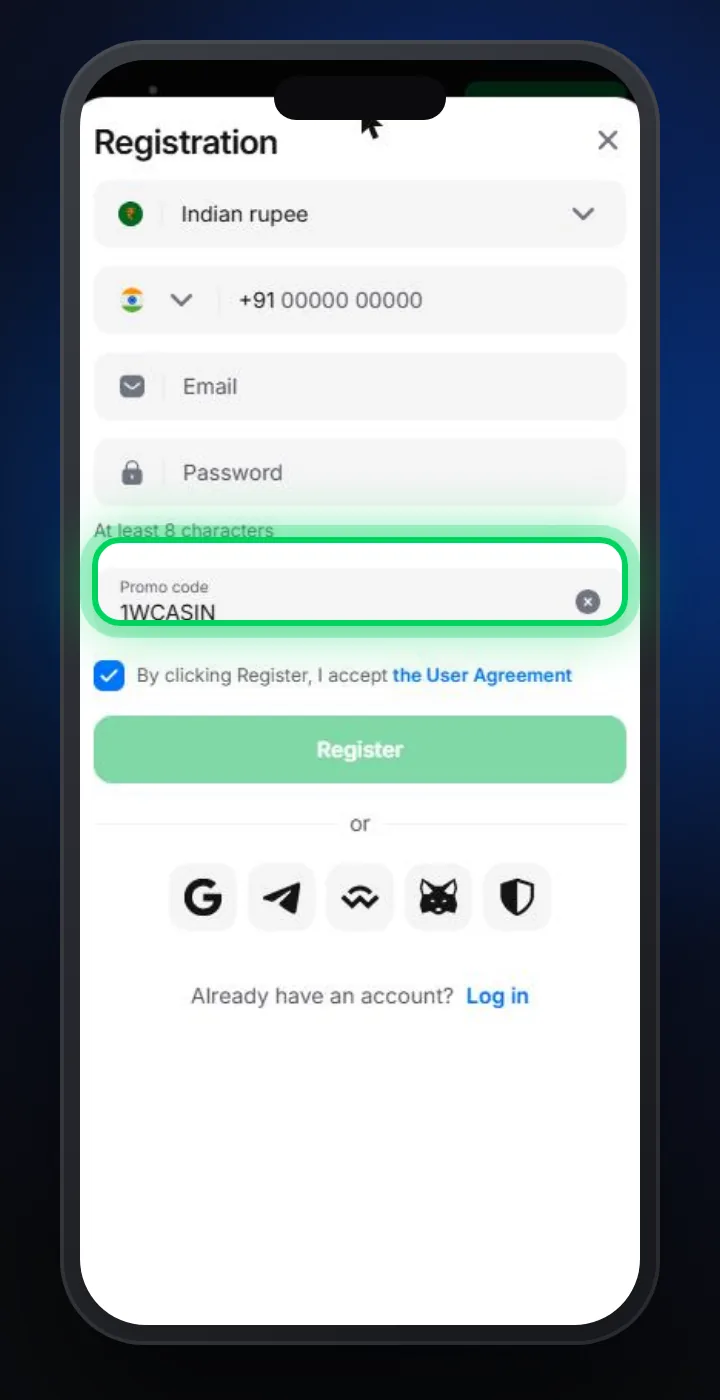
- Accept the User Agreement and register. Tick the checkbox confirming you accept the User Agreement, then tap "Register". Your account opens and you are logged in.
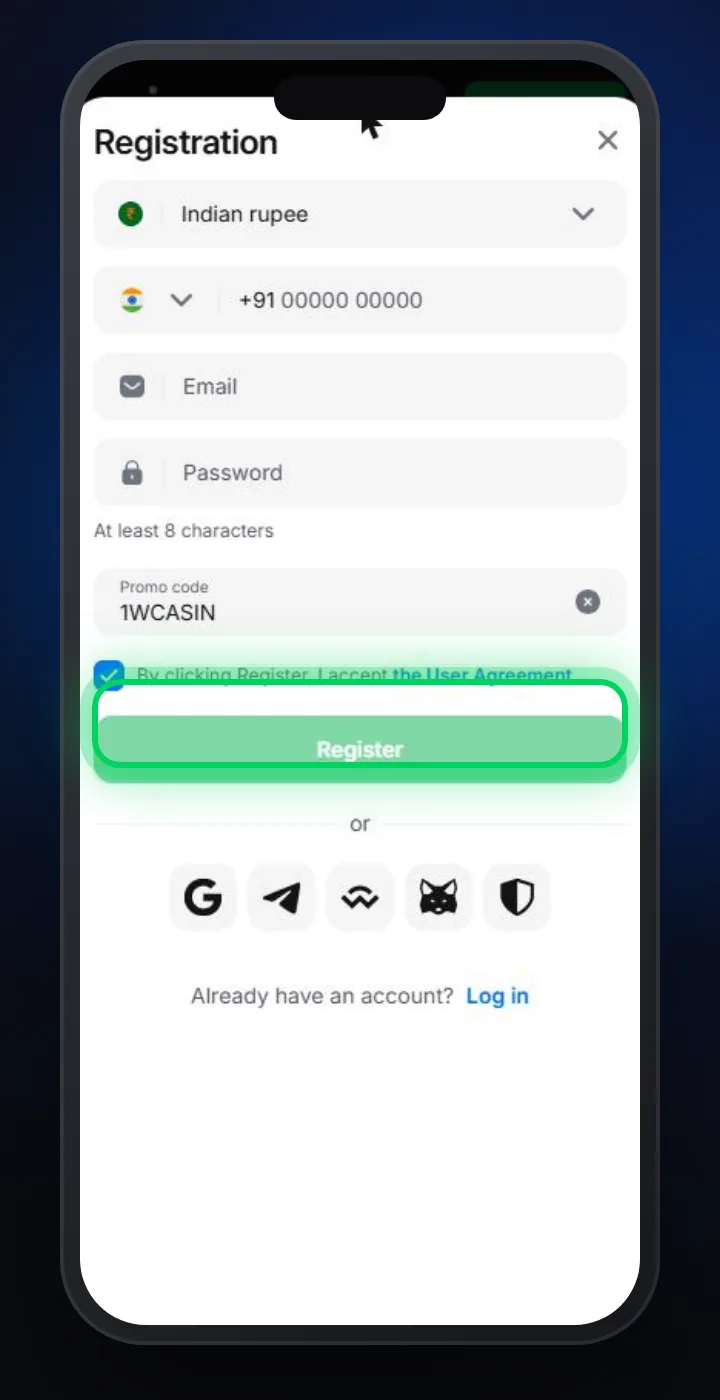


Tip: the promo field is part of the registration form itself, so type 1WCASIN before you tap "Register" rather than planning to add it afterwards.
Copy the promo code before you register
Copy the code with one tap and paste it into the "Add promo code" field, so a typo does not stop it from being accepted.
What the code is linked to, and what to do if the field says the code is invalid, is explained in claiming the 1win promo code.
Ways to register on 1win
Besides the full form, 1win offers one-click registration through accounts you already have. All methods open the same kind of account, so Aviator, deposits in ₹ and the bonus work identically. The difference is what you enter and how you log in later.
| Method | What you enter | How you log in later | Good to know |
|---|---|---|---|
| Phone and email form | +91 phone, email, password, currency INR, optional promo code | Phone or Email tab + password | Easiest way to add 1WCASIN; password recovery works by phone or email |
| Choose your Google account and confirm | Google button on the login form | No separate 1win password to remember | |
| Telegram | Confirm the request in your Telegram app | Telegram button on the login form | Keep access to that Telegram account |
| Crypto wallet (WalletConnect, MetaMask) | Connect and sign with your wallet | Same wallet on the login form | Losing the wallet means losing this login route |
Whatever you choose, sign in the same way every time. Signing up again with a different method creates a second account with a separate balance, which complicates bonuses and verification later.
Verification (KYC): when and what to send
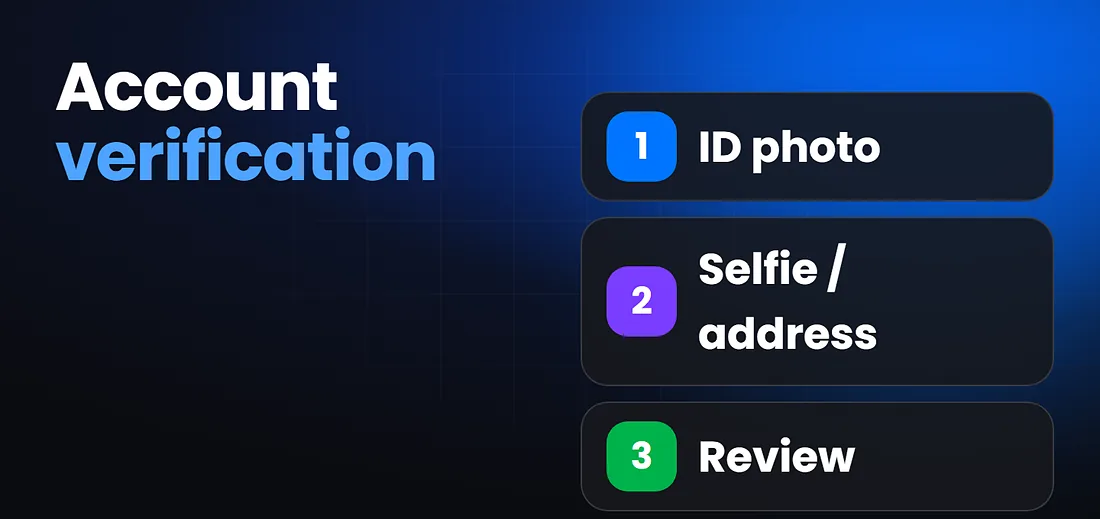
You can deposit and play Aviator straight after sign-up. Verification usually comes up later, when 1win asks for it before a withdrawal. It confirms that the account belongs to you and that the person withdrawing is the person who registered.
What 1win can ask for:
- Identity document: a clear photo of an ID with your name and date of birth matching the account.
- Selfie: a photo of you, sometimes holding the document.
- Proof of address: a document showing the address you entered in your profile.
Fill in your profile with your real name and details from the start. A mismatch between the profile and your documents is the most common reason a first payout takes longer. A first withdrawal with KYC can take 1–3 days; after that, payouts usually arrive within minutes to a few hours. The full flow is in withdrawing Aviator winnings.
First deposit and the welcome bonus
After registration, open the cashier, choose a method such as UPI, PhonePe, Paytm, bank transfer (IMPS/NEFT with UTR) or crypto, and enter the amount in ₹. The welcome package covers your first four deposits, up to 500%+ in total (100%, 120%, 130% and 150%, each with free spins); the exact terms of each step are shown on the bonus card in your account. The first-deposit card shows these terms:
| Term | Value |
|---|---|
| Minimum deposit | ₹300 |
| Maximum bonus | ₹45,000 |
| Wagering | x30 |
| Maximum withdrawal from the bonus | x1 |
| Deposits 2–4 | 120% + 100 FS, 130% + 150 FS, 150% + 180 FS; other terms on each bonus card |
Two rules matter for Aviator players. First, the casino bonus is wagered only in games from the "Bonus wagering" category, and your bets are taken from the main balance first. On 25 November 2026 Aviator was not in that category, so the bonus is wagered in other games from the list; check the current list before counting on the bonus for Aviator rounds. Second, a withdrawal request while a bonus is active cancels the bonus. How the wagering works, with a calculator, is explained in Aviator bonuses on 1win.
Not ready for real bets yet? The Aviator demo on 1win runs with a virtual balance, so you can try two bets and Auto Cash Out before risking rupees. Set a budget before the first deposit; practical ways to keep play under control are collected under responsible gaming.
Sign-up mistakes that cost time later
Registration itself is quick. The problems usually appear weeks later, at the first withdrawal or when a bonus does not show up. Avoid these:
- Skipping the promo field. The "Add promo code" link is easy to miss under the password. Open it and type 1WCASIN before tapping "Register".
- Using a nickname or someone else's details. The name, date of birth and address in your profile must match your documents, or KYC before a payout will stall.
- Registering a second time. Forgot how you signed up? Try Google, Telegram and the Phone or Email tab on the login form, or ask support, instead of opening a new account.
- A weak or reused password. Your balance and Aviator winnings sit behind that password. Use one you do not use for email or social media.
- Downloading a fake app to register. Sign up only on the official site or in the app downloaded from it. "1win Aviator" or "signal" apps from APK catalogues are not 1win and can capture what you type. How to tell them apart is explained in spotting fake Aviator apps and signals.
- Using a proxy or similar tool to change your location. 1win rules forbid it, and accounts that do so can be suspended.
Prefer to register on your phone? The 1win app has the same form with the promo field, and installing it adds 200 1win Points. The install steps are in downloading the 1win app. Already registered? Go straight to the 1win login.
Registration questions
How do I register on 1win for Aviator?
Tap "Registration" on the 1win site or app, keep INR as the currency, enter your +91 phone, email and a password of 8+ characters, add the promo code and tap "Register". The account works for Aviator straight away. Real-money rounds start after your first deposit.
Is there a separate Aviator account on 1win?
No. Aviator is a game in the 1win casino, so one 1win account covers it. Your ₹ balance, bonuses and withdrawals are shared with the rest of the casino.
Where do I enter the 1win promo code?
In the registration form, tap "Add promo code" under the password field and type 1WCASIN. The field appears only during sign-up, so add the code before you tap "Register".
Can I register with Google or Telegram?
Yes, 1win offers one-click sign-up with Google, Telegram and crypto wallets such as WalletConnect and MetaMask. Log in later with the same method so you do not create a second account.
Do I need to verify my account before playing Aviator?
Not to play. 1win can ask for KYC (ID plus a selfie or proof of address) before a withdrawal. Enter your real details at sign-up so the check goes quickly.
Which currency should I choose at sign-up?
Choose Indian rupee (INR) in the registration form. Your balance, deposits by UPI or bank, Aviator bets and withdrawals are then all in ₹. If you picked another currency by mistake, contact 1win support through live chat.
Can I play Aviator without registering?
Yes, in "Demo mode". The toggle on the Aviator game page on 1win runs the game with a virtual balance (30,000 USD when you are logged out) and works without logging in. Real ₹ bets, bonuses and withdrawals need a registered account.
What is the minimum deposit after sign-up?
The first-deposit bonus card shows a minimum of ₹300. Method limits differ: for example, PhonePe accepts ₹300–₹50,000 and bank transfer ₹500–₹100,000. Limits can change, so check the cashier.